In this article, you will learn how to set up, customize, and manage the automated Review Engine to build your online reputation on autopilot.
The Review Engine is designed to maximize your business’s online growth by performing two essential functions: amplifying positive feedback from happy customers and catching unhappy ones before they post publicly. This automation ensures that every completed job becomes a hands-free opportunity to boost your local SEO and build trust without adding to your team’s administrative workload.
Setting up and Configuring the Review Engine
In order to activate and customize your automated review pipeline, you will need to access your account’s feature dashboard.
1. Access the Add-on Center:
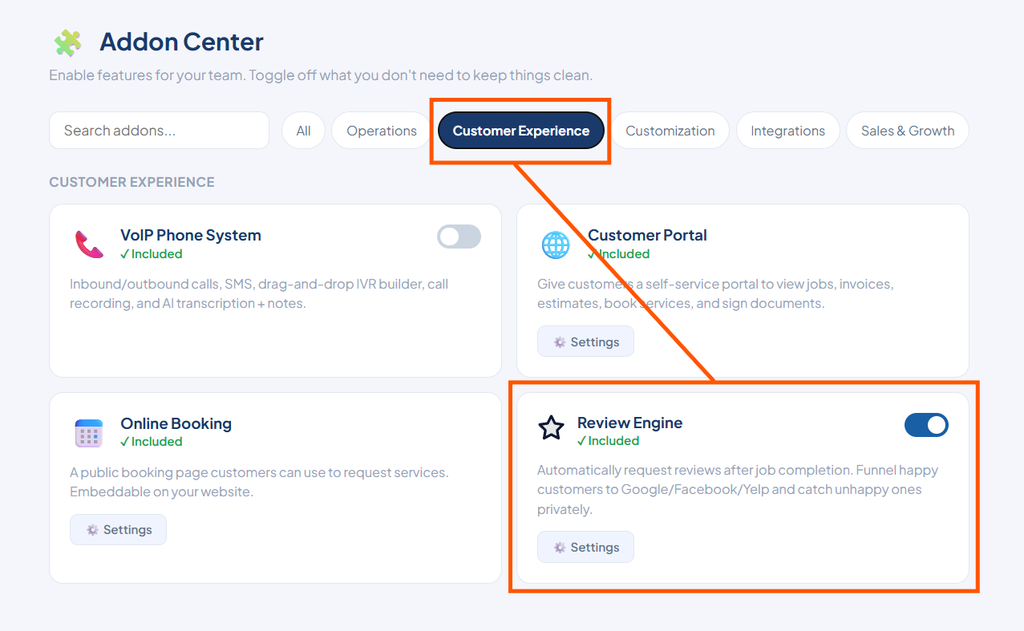
Navigate to the left sidebar and click the Add-on Center button.
2. Open Review Engine Settings:
Click on the Customer Experience tab, locate the Review Engine tool, and click Settings.
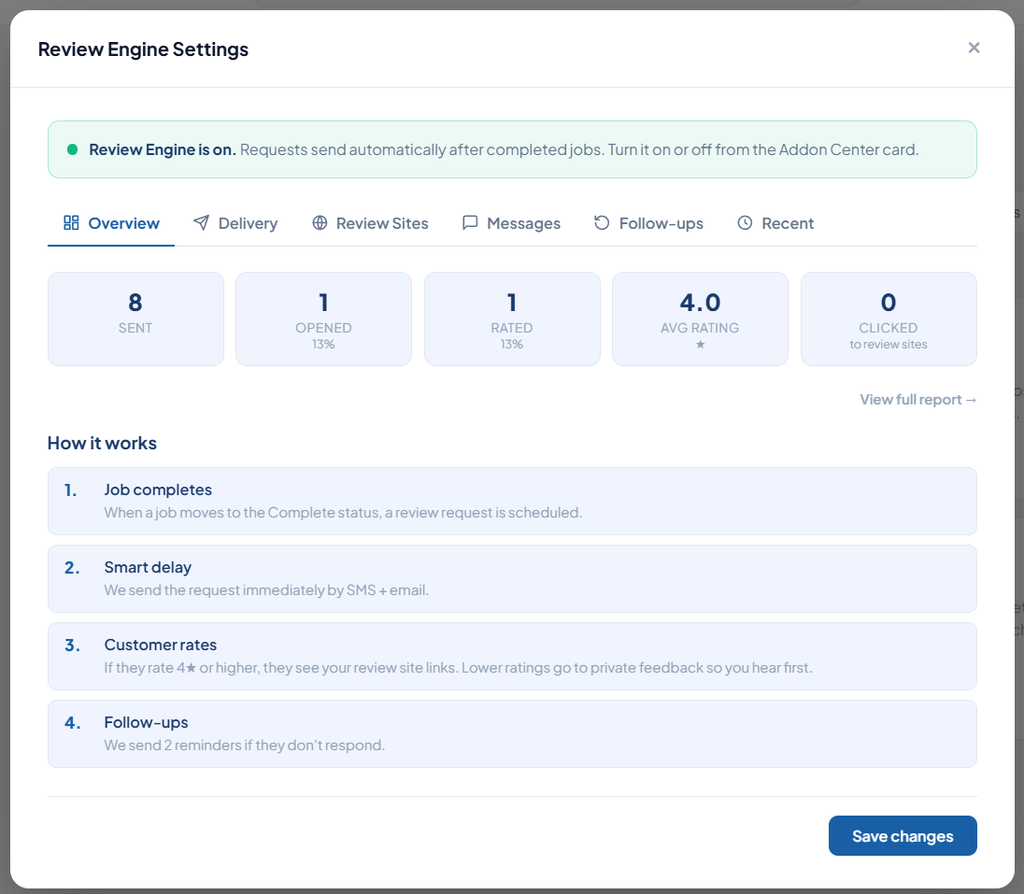
3. Monitor Performance:
Use the Overview tab to track customer response rates and success metrics in real time.
4. Configure Delivery Options:
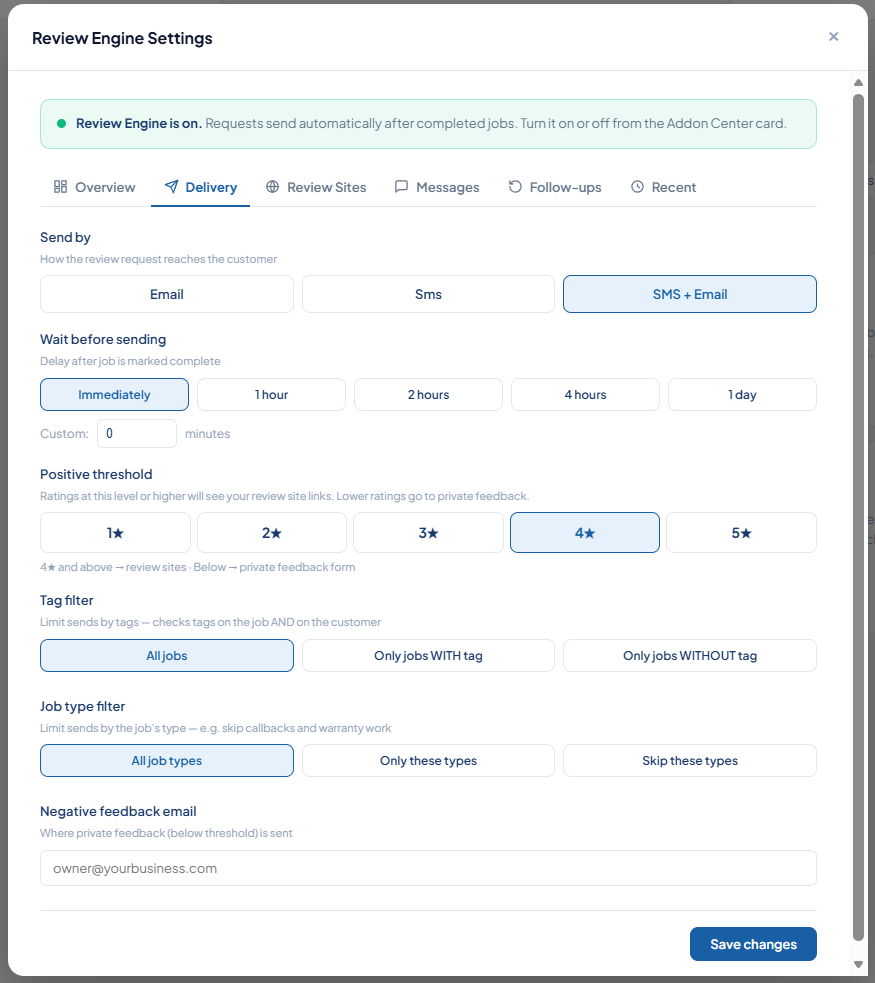
Switch to the Delivery tab to define how and when review requests are sent.
- Choose to send review requests via Email, SMS, or both channels.
- Set a custom smart delay (e.g., 2 hours) to pause delivery until after a technician leaves the job site.
5. Establish a Positive Threshold:
Set up the smart funnel routing rule based on the customer’s rating.
- Ratings of 4 stars or higher automatically guide customers to your connected public review profiles (such as Google, Facebook, Yelp, or Angie). Paste your unique profile links into the designated fields to link them.
- Ratings of 3 stars or below automatically direct customers to a private internal feedback form that routes straight to your management email.
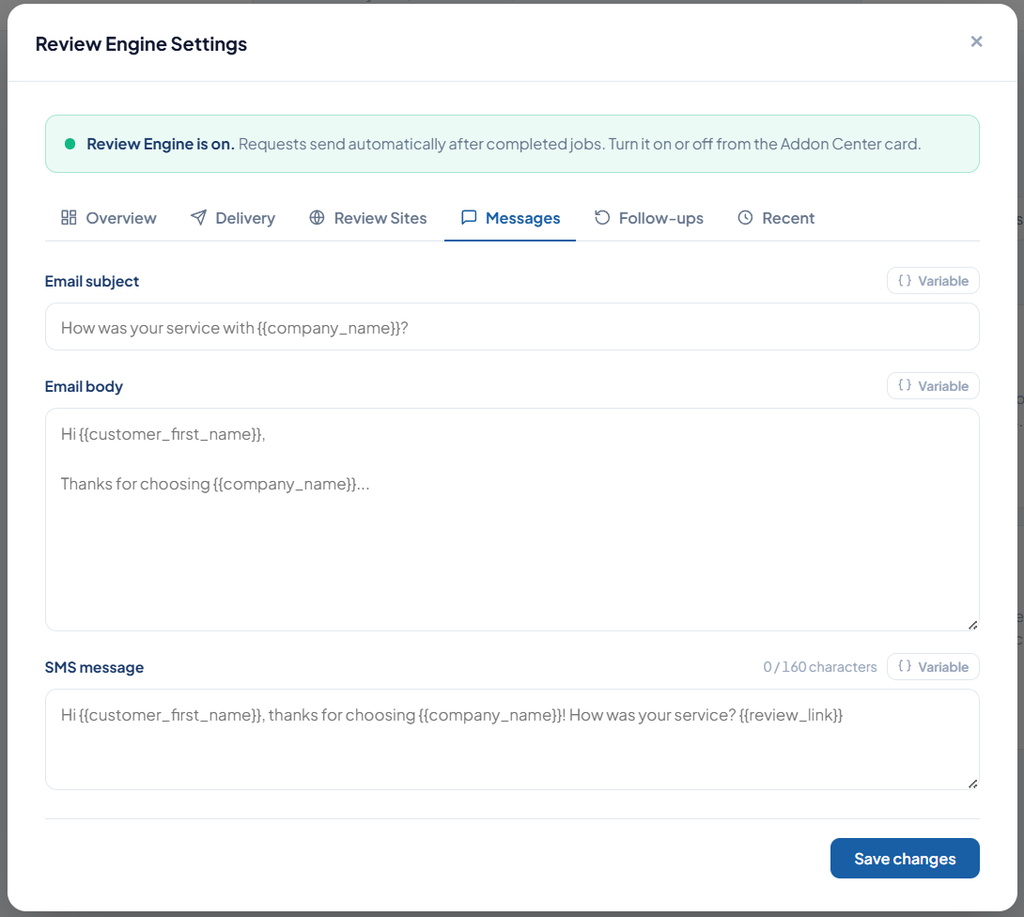
6. Personalize the Messaging:
Navigate to the Messages tab to customize your outreach text. Use custom variables to dynamically greet customers by name and include specific details automatically.
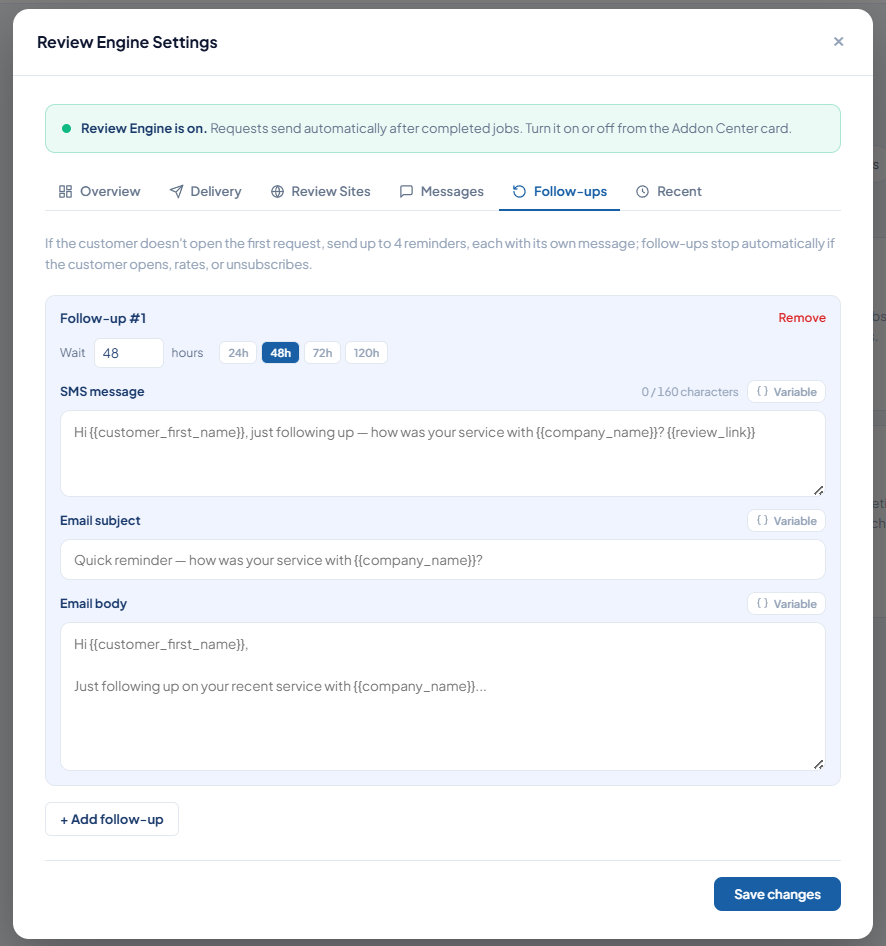
7. Set Automated Follow-ups:
Open the Follow-ups tab to schedule up to two automatic reminders for busy customers who do not respond initially.
Once activated, your completed jobs will automatically drive five-star ratings directly to your selected public platforms while private feedback gives your management team the opportunity to resolve issues internally.